Timersupport

Hvordan åbner du et event
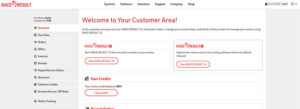
Når du er kommet ind i systemet klikker du på blå knap start RACE RESULT 12 nu får du adgang til dine events i RACE RESULT software.

Dette er START område for RACE RESULT 12 her kan du få adgang til dine events eller oprette nye events. For give dig mulighed for at teste systemet er der oprettet et demo event,
race result 12 Demo.
Men du kan også bare klikke på det evnet du skal arbejde i.
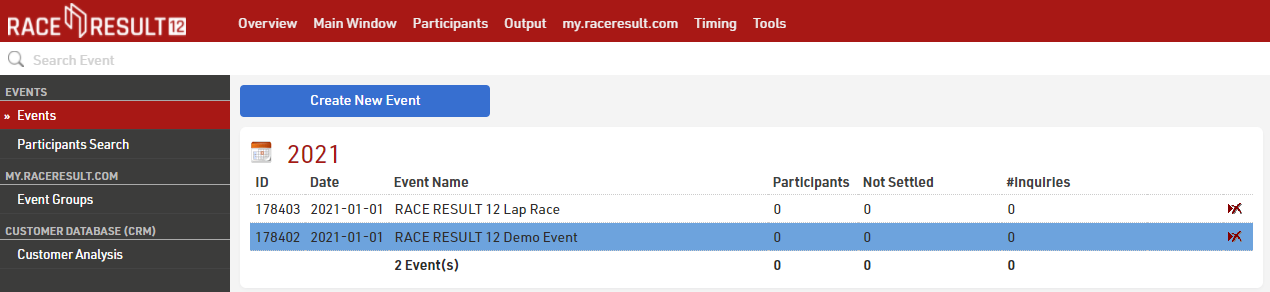
Ved at klikke på RACE RESULT 12 Demo Du kan nu se mere i detaljer på det event du nu har valgt:

The main navigation can be found at the top of the screen, if you prefer to open multiple tabs or windows, useful when using additional monitors, you can press the + icon in the top right to open another tab of the same event.
The Main Window allows to configure your event and import/check/delete participants’ data. The Participants Window is designed to add, edit and delete individual participants. The Output Window creates and prints lists, result pages as well as race certificates and statistics. The my.raceresult.com Window allows you to set options that manage the publication of your event on my.raceresult.com, Timing is used to connect to your timing systems and oversee your timing data, and the Tools menu provides additional tools such as the certificate designer.

There are seven small icons on the right-hand side which give you additional orientation: Timing gives you an overview of your devices connected to your local network or which have TCP upload enabled; Knowledge Base provides quick reference to the full knowledge base whilst still in your event; via the Chat you can discuss anything you have on your mind with other RACE RESULT users or event specific chat with anybody else who is working on the same event file; the Q&A section serves to discuss specific questions you may have; What’s New? provides you with the latest updates from the RACE RESULT team including any software feature updates; Info shows the most relevant data fields for your event for entering in results or output lists; and Participants allows you to edit any participants details and view their timing data when selected from an output list.